The map gives a view of your entire fleet across a region. In addition, the colour indicates the status of each vehicle.
To view the Map View, select Map View from the left-hand menu.

You can Search for a specific vehicle by selecting the Arrow to bring out the entire list of your fleet.

If you click on a vehicle from the map view you will see a mini dashboard of that vehicle.
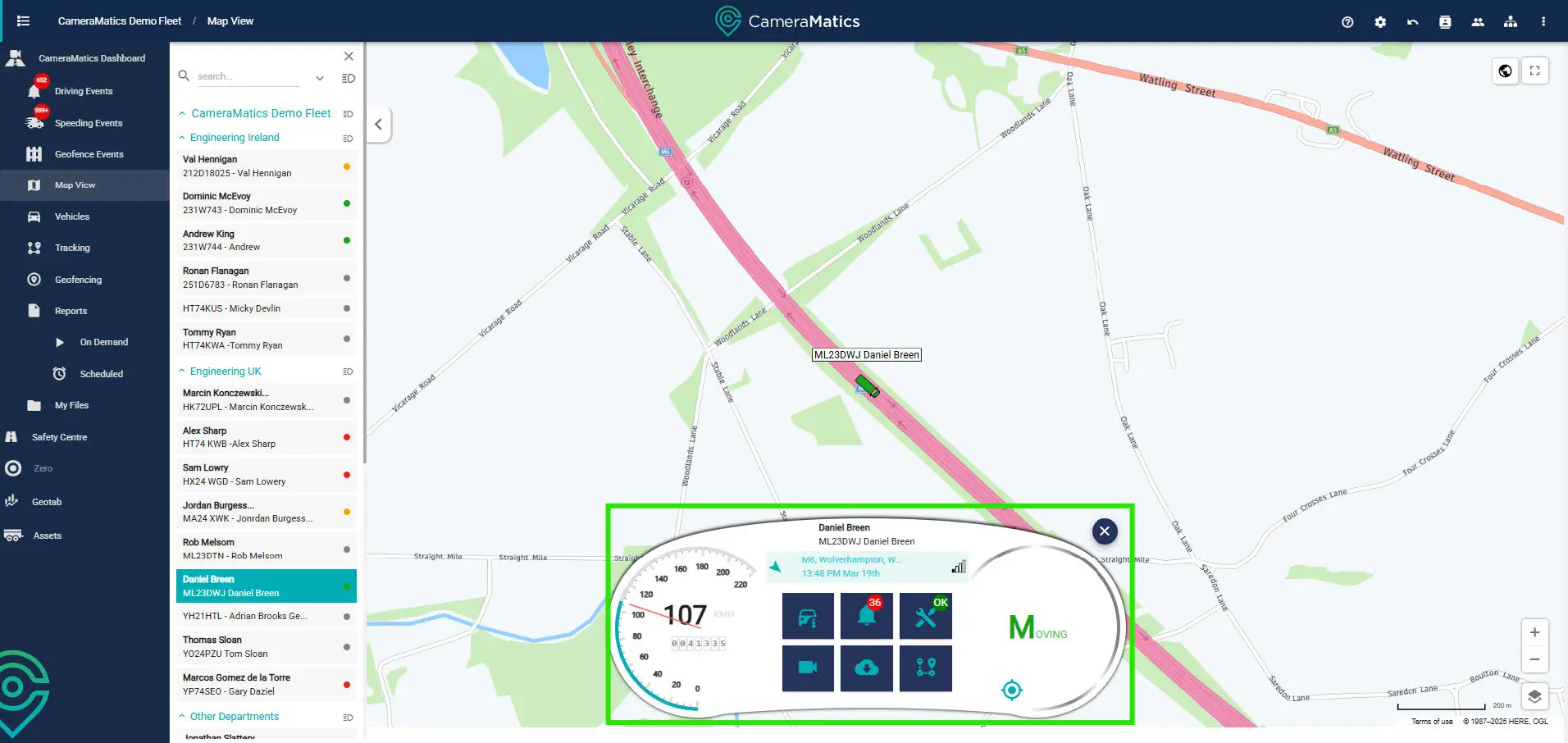
This dashboard shows live data coming from the vehicle. It also includes live widgets as follows:
- Vehicle Detail – This will have more details on the vehicle
- Driving Events – This will show any driving events that the vehicle hasoccurred during a specific time frame
- Faults – This will show any faults with the CameraMatics systeminstalled
- Live Streaming – This will show the live streaming from the camerason the vehicle
- Retrieve Media – This will allow you to pull footage from a date andtime you want
- Tracking – This will show you a variety of tracking reports for thisvehicle


