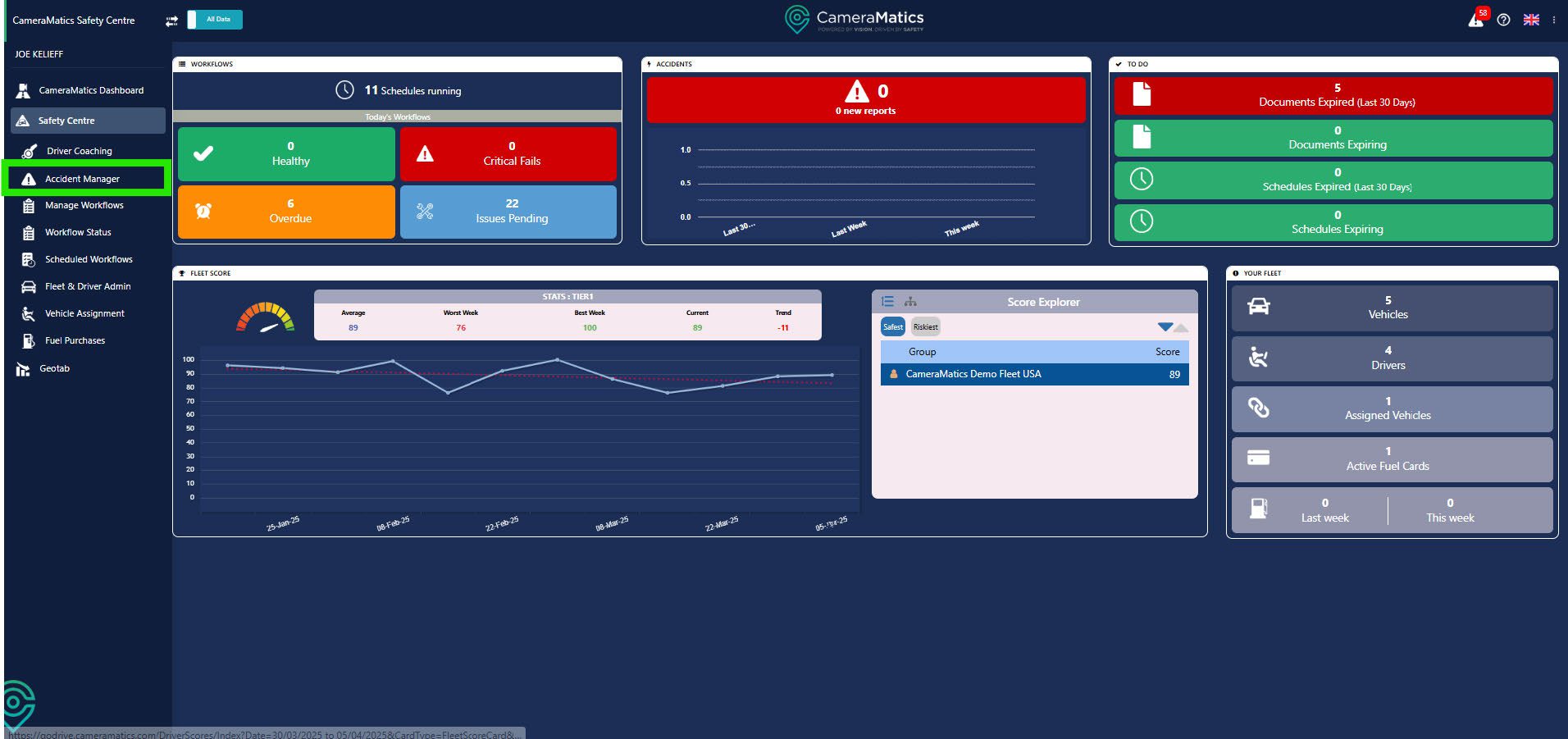
To view accident reports, click on Accident Manager on the left-hand menu.
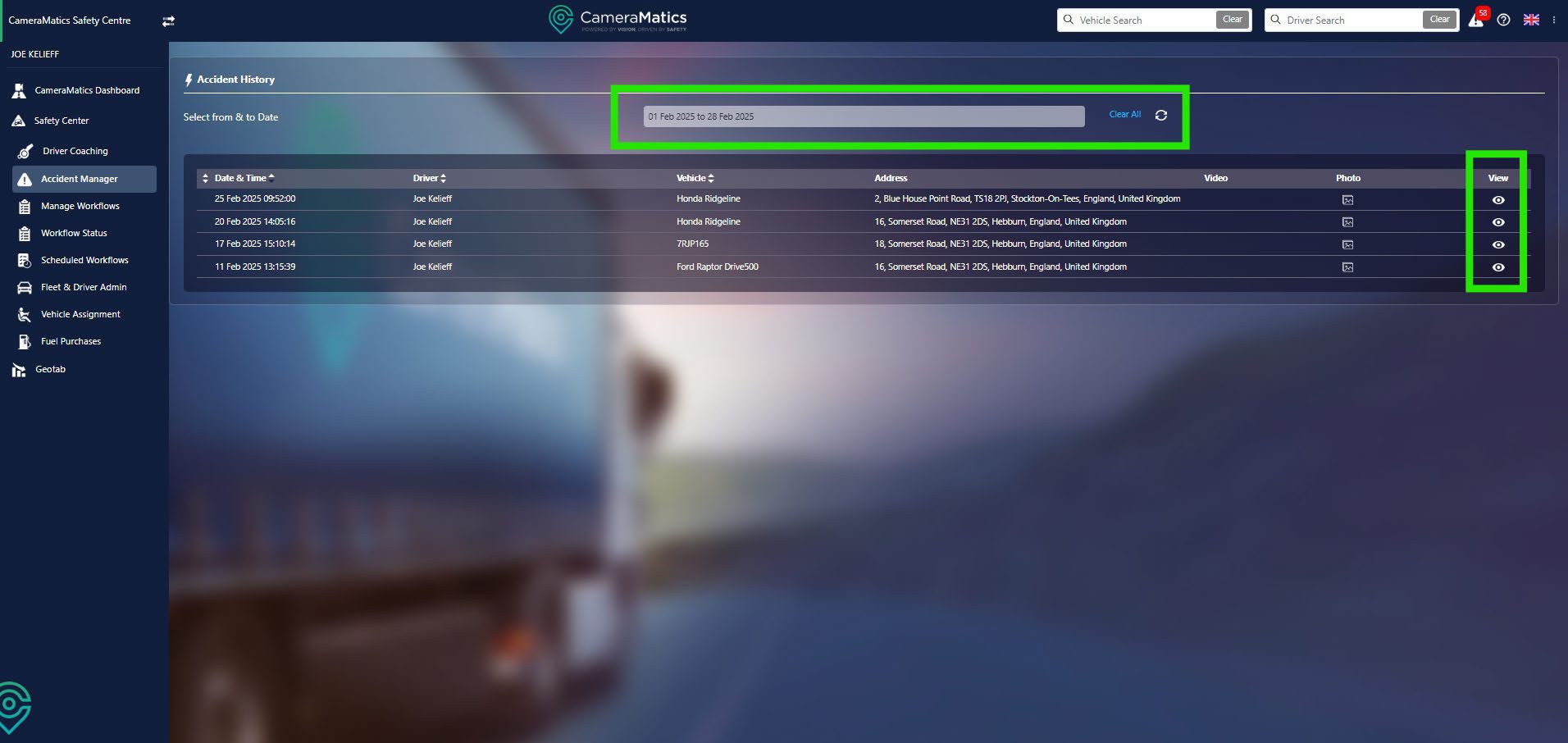
This shows a list of any accidents that have been reported through the driver app from your fleet. You can search within a specific date range if required. To view additional detail relating to a specific accident, click the View button on the right.
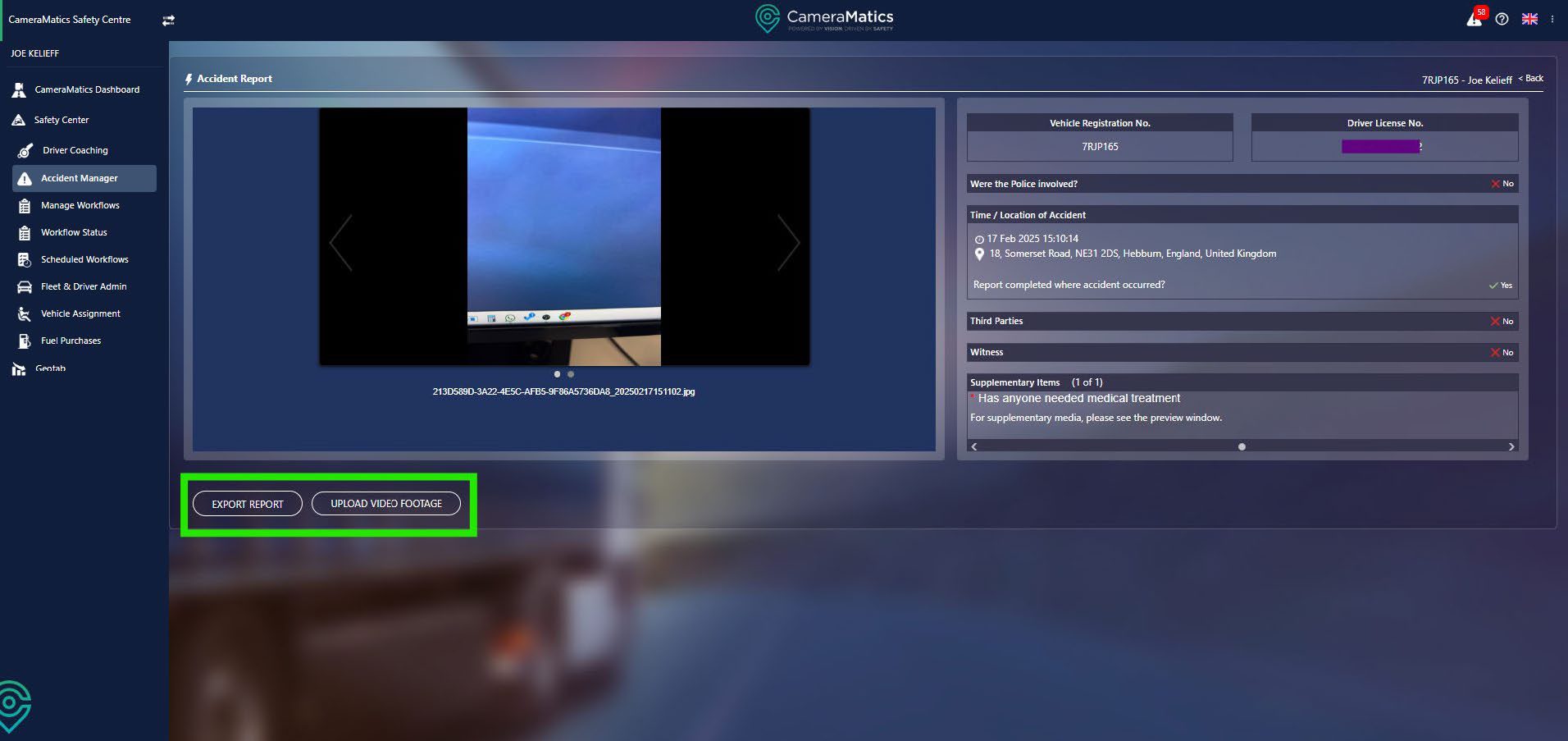
This will show all the details that have been captured by your driver. You can upload footage from this incident, and you can export this report, both found in the bottom left.