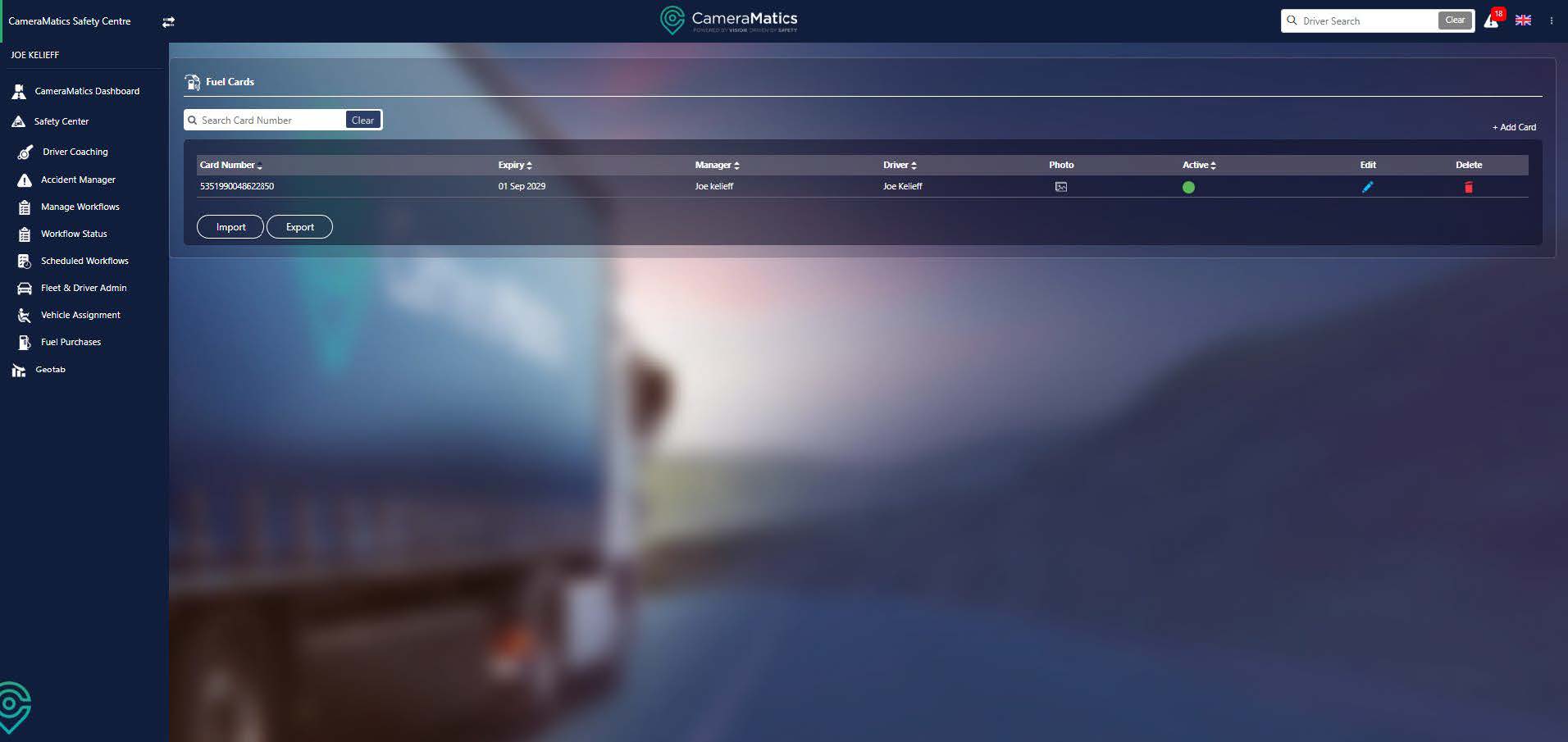
Your drivers may be using fuel cards, which are both convenient for drivers and help your business keep a track of fuel purchases and fuel consumption. The CameraMatics platform allows the capture and storage of receipts from drivers to help manage this process.
Add Fuel Card
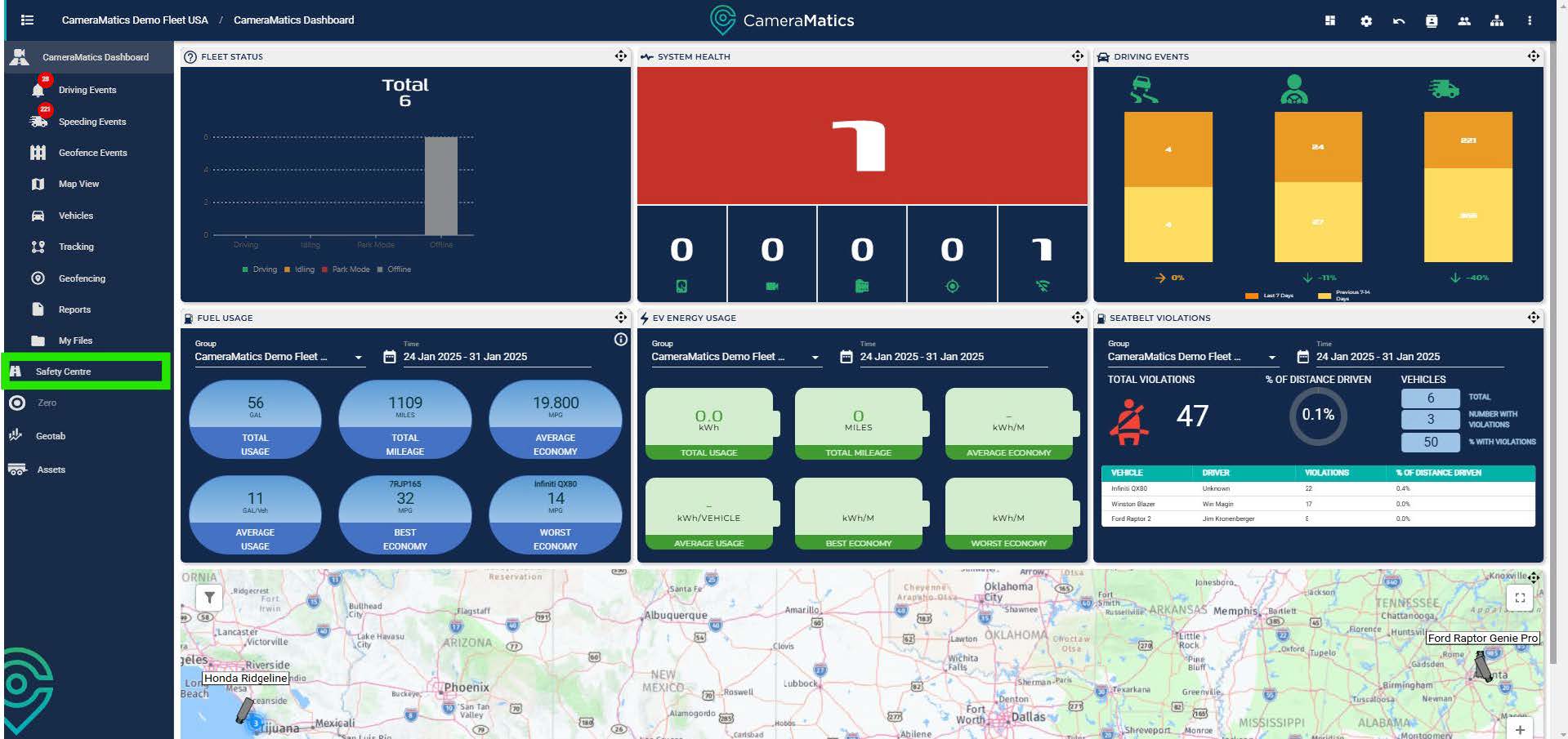
From the main dashboard, click on Safety Centre.
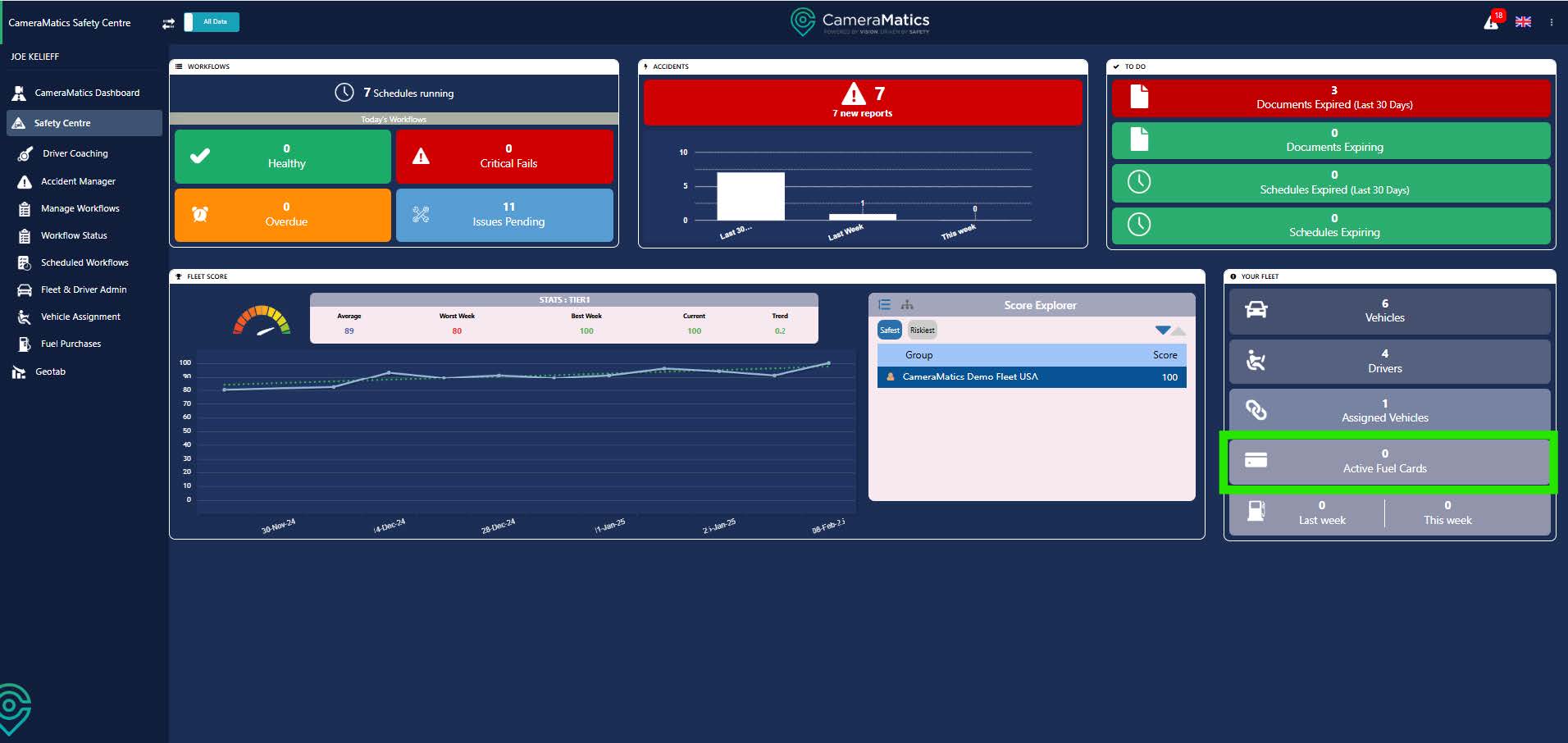
From the Safety Centre Dashboard, click on Active Fuel Cards in the right-hand widget.
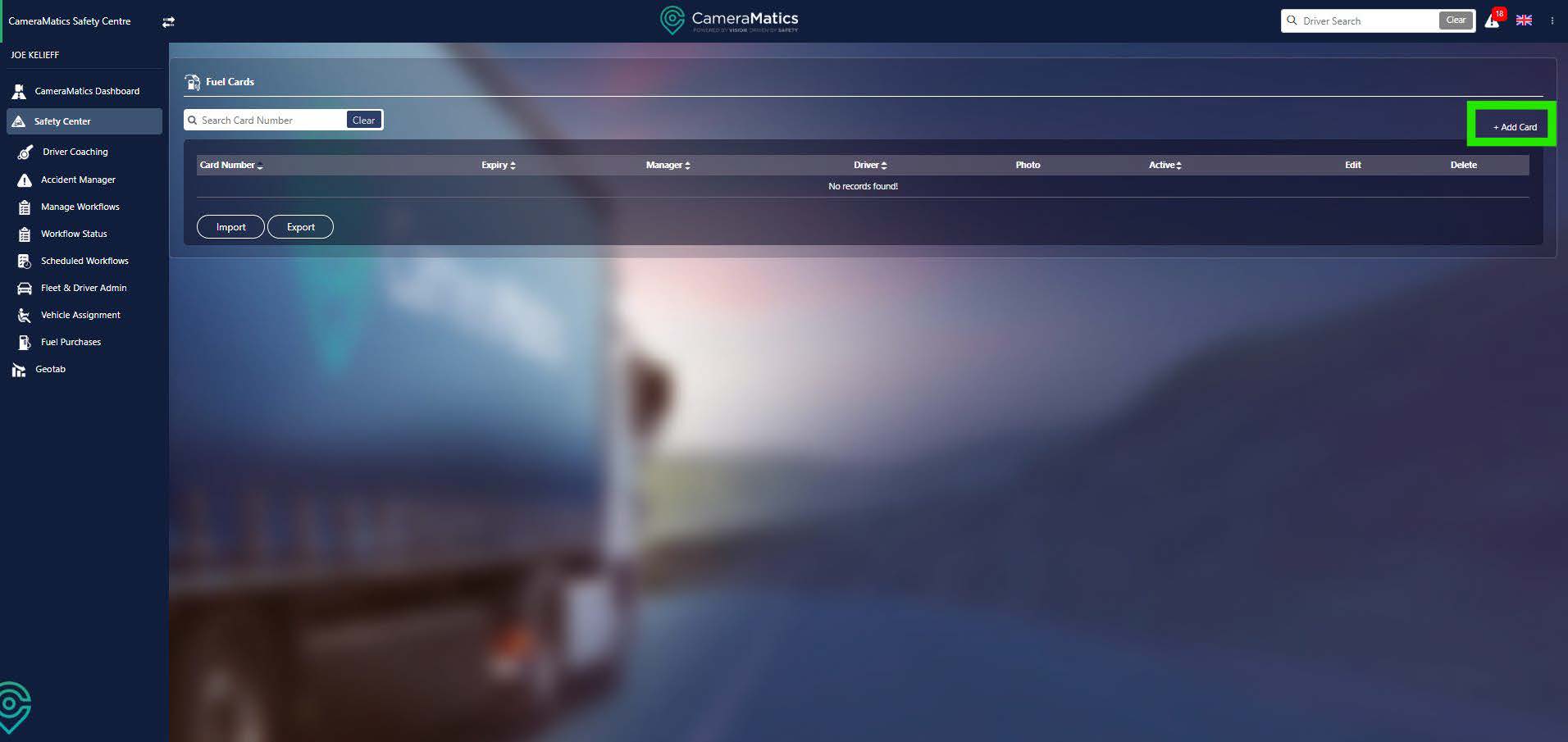
Here you will find a full list of fuel cards in the system and the drivers assigned to them. To add a new fuel card, click on ‘add card’ in the top right.
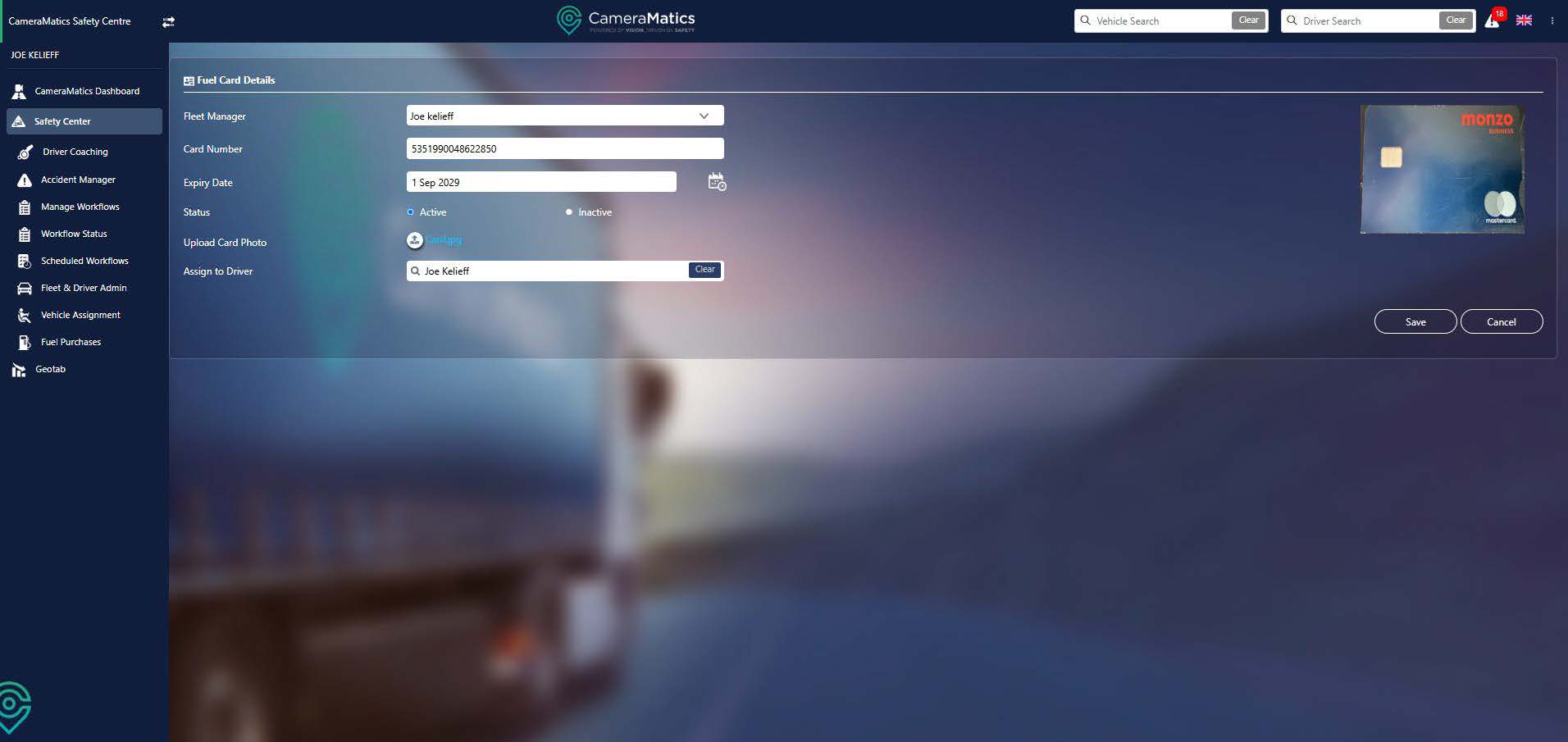
Fill out all of the details of the card. You can also upload a picture of the card if you wish to, and assign this card to any drivers who have access to it. This will allow them to upload receipts from the mobile app. Once done, click Save.
You will now see that the fuel card has now added to the list of available cards.