There are some extra steps that you can take to make the platform more tailored to your needs. These extra settings can help get your account there.
Access Additional Account Settings
From the main dashboard, click on Safety Centre.

Click on the 3 dots that can be found in the top right of the screen.
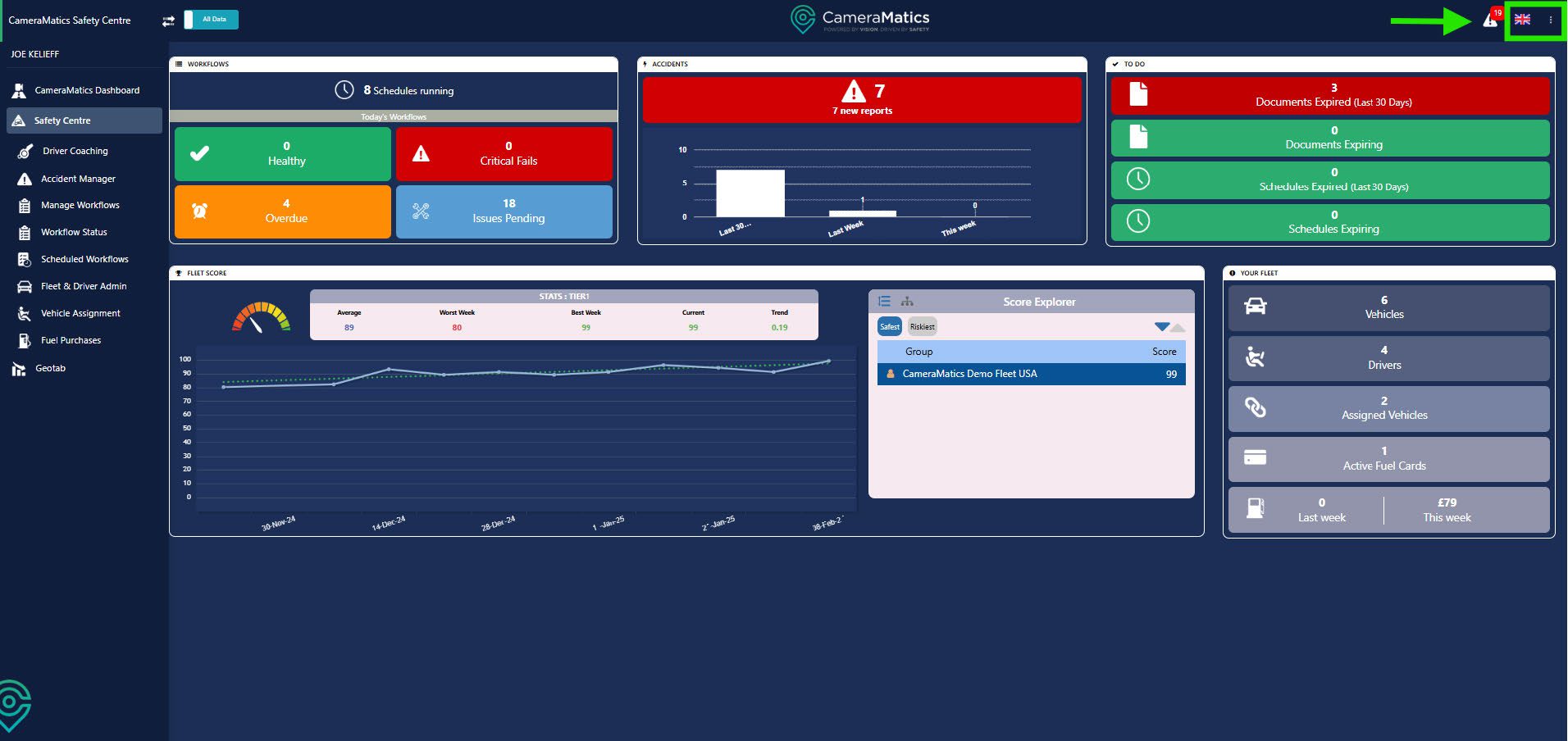
You will next click on Account Settings.
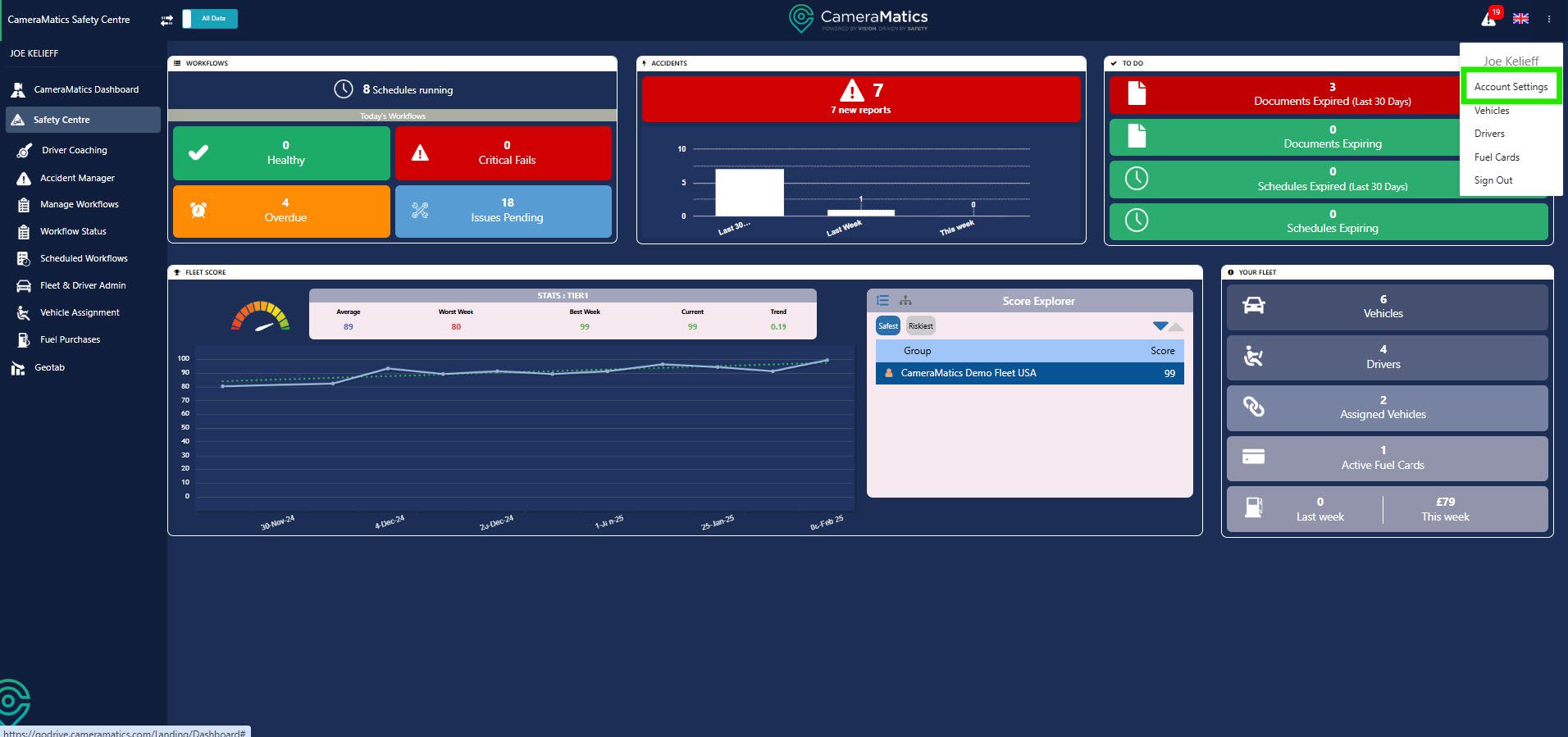
Here you will find additional settings that you can configure to have something more suited to you.

We will be looking at the following for additional set-up requirements:
- General
- Driver Scoring
- Permissions
General
Within the General section is user-specific. This means anything inputted here will be for the person who has logged in.
You can enable the Driving Events Acknowledgement.

You can also add in emergency contact details.

You can also select to have notifications go to your email by ticking what you would like to see.

Driver Scoring
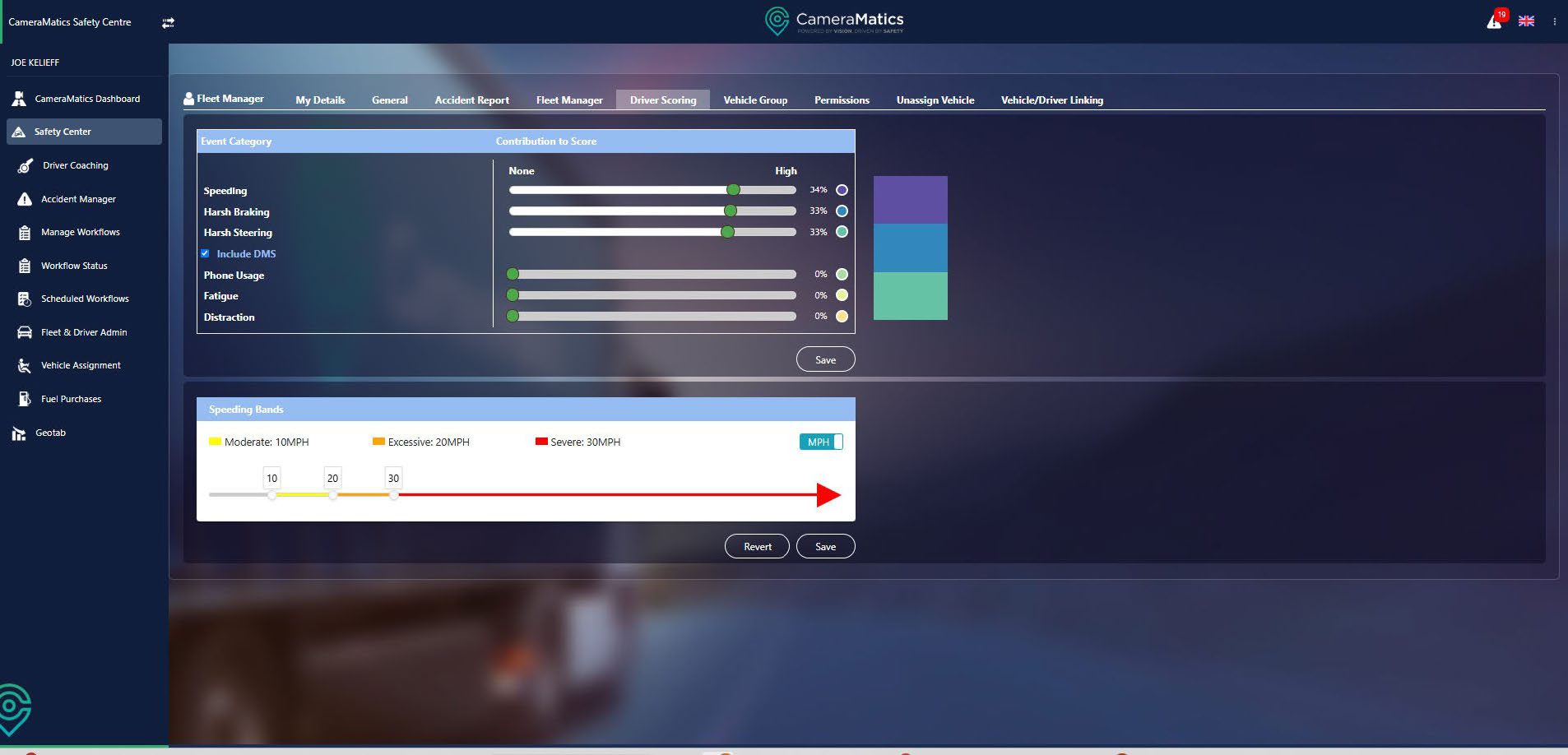
Within this section, you can adjust the weighting for the scores that the drivers will get during their travels.
You can drag along the dials to determine the importance of another category and if you do not have the in cabin camera, you can untick the DMS.
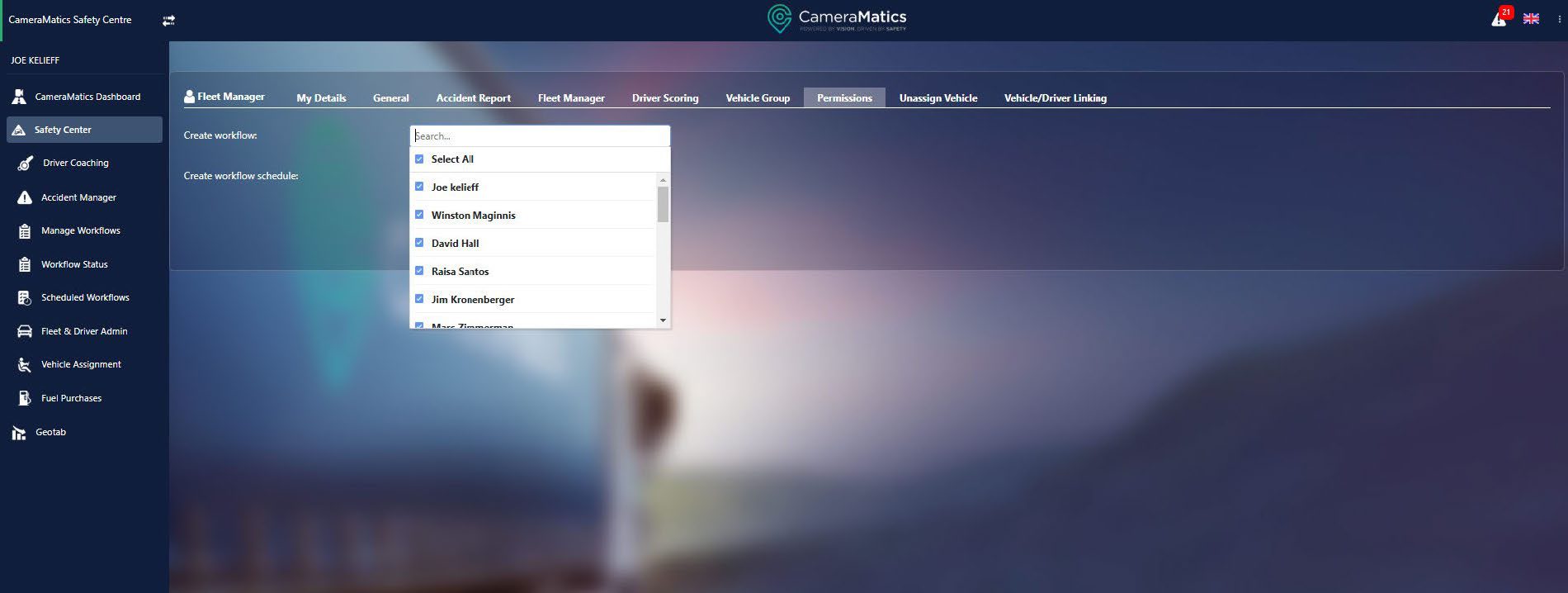
Permissions
This section will allow you to determine who is allowed to create workflows and schedules.
There may come a time when you want specific individuals to create one or the other or you may wish to have specific people not to complete this activity at all.
You monitor this by ticking and unticking.