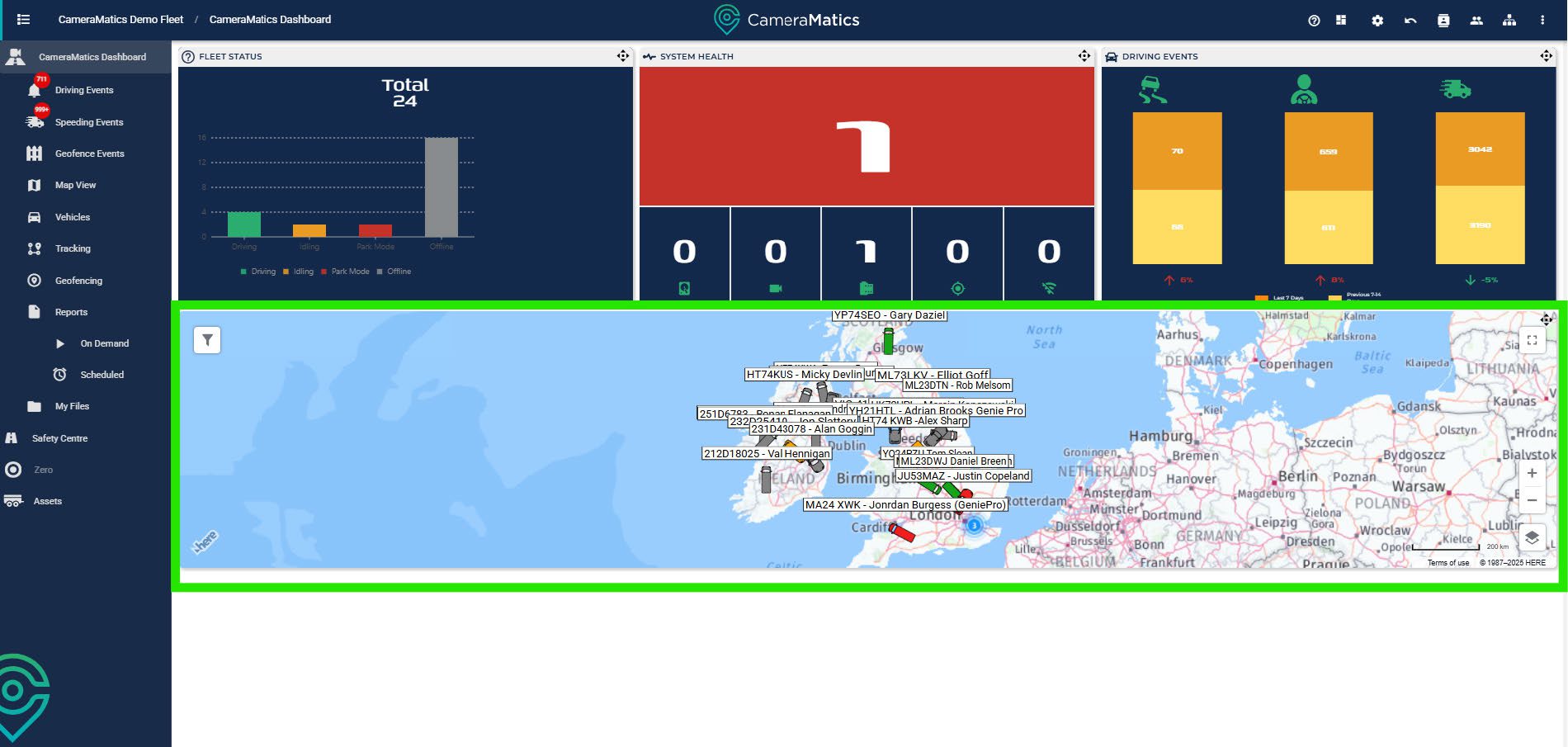
When you log into your account, you will see a variety of ‘widgets’ that provide you with high-level information about your fleet.
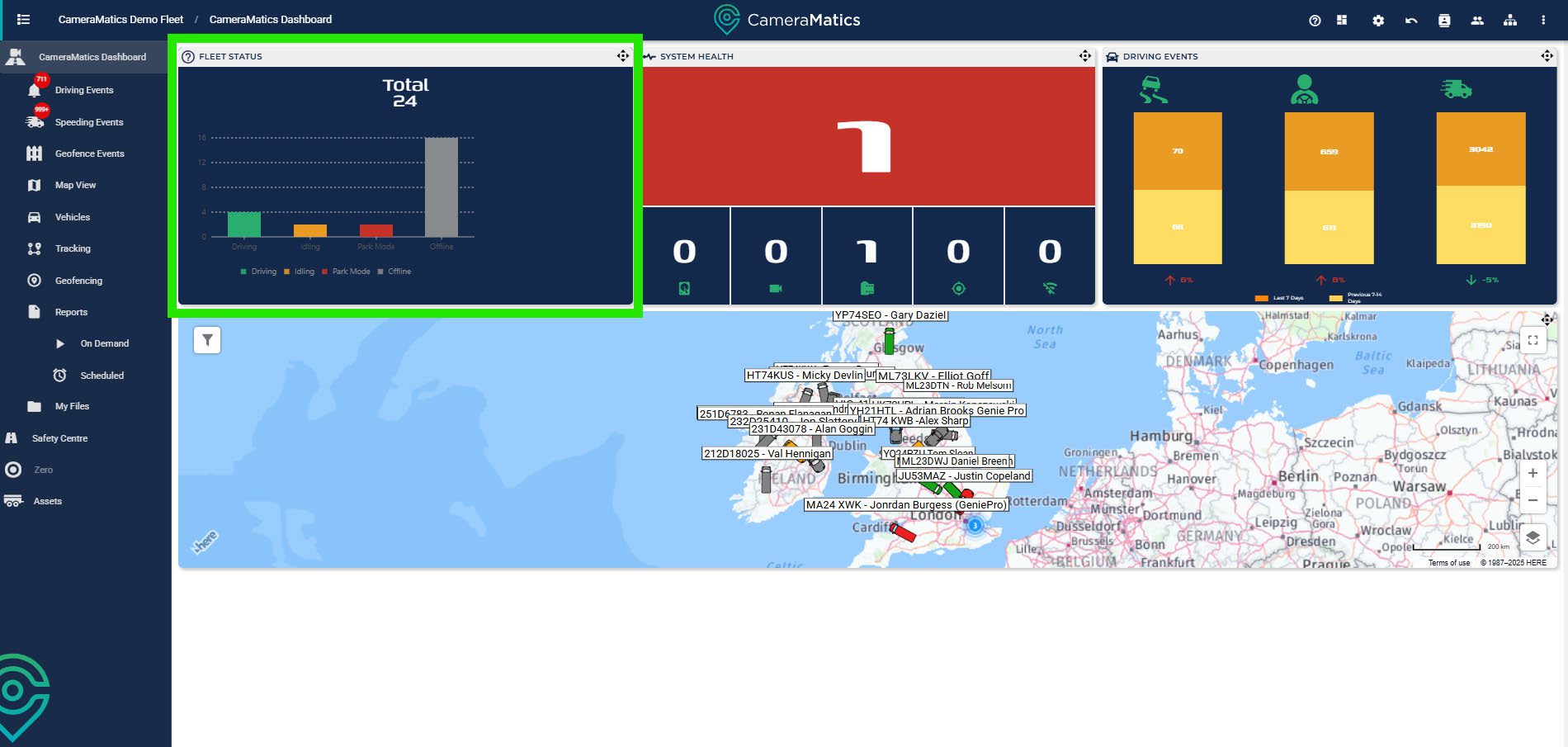
Fleet Status
Fleet status summarises the current status of your vehicles. There are four different statuses:
- Driving (Green) – vehicles within your fleet that are being driven.
- Idling (Yellow) – vehicles within the fleet that are idling.
- Park Mode (Red) – vehicles are stationary and have had their ignition switched off within the past hour.
- Offline (Grey) – vehicles that are no longer active (the system stopsrecording an hour after ignition is turned off). You cannot pull any footage when your fleet is in this status.
System Health
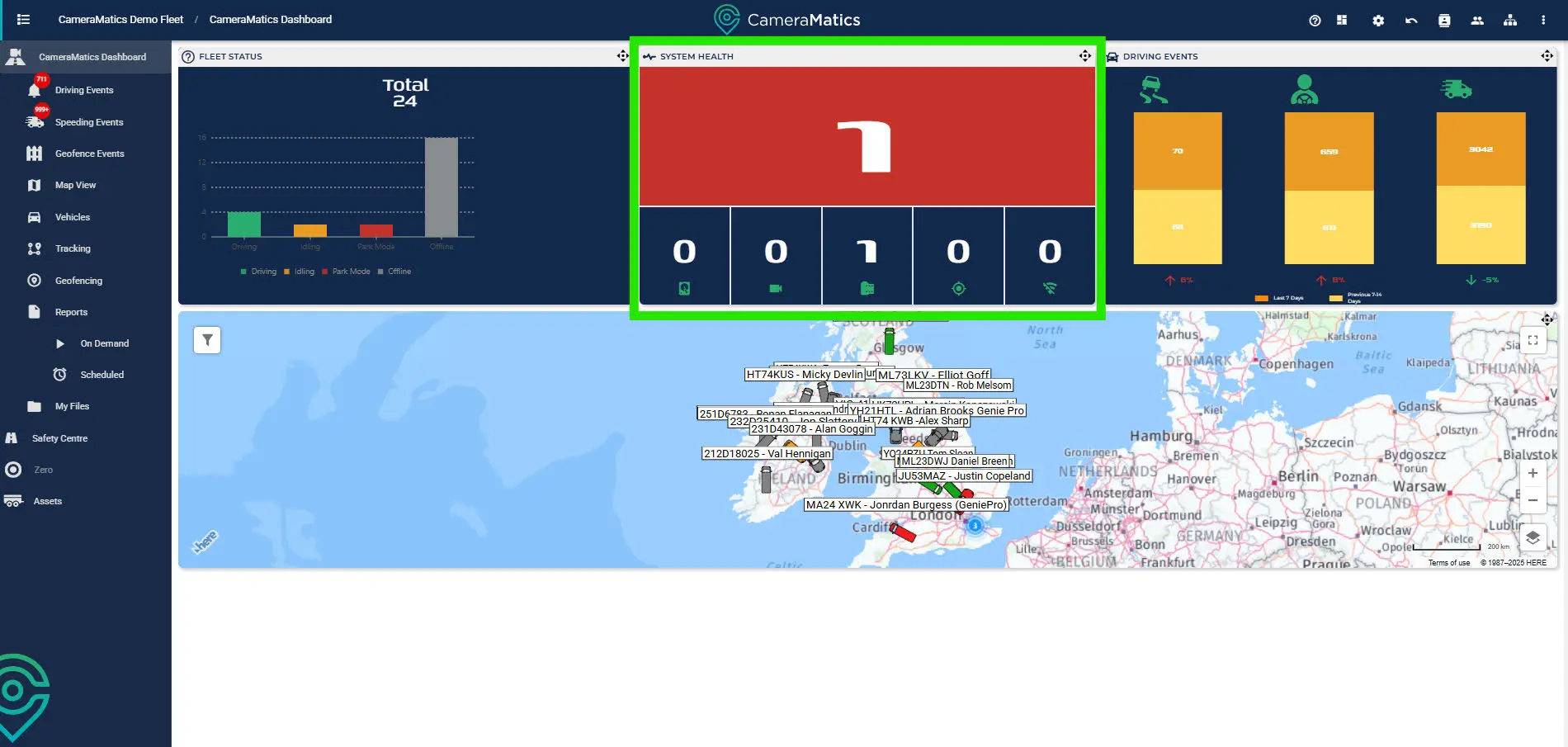
System health shows any issues with the CameraMatics system installed in your fleet:
- Storage – This shows there are footage storage issues
- Video Loss – There are issues with the cameras installed
- Not Recording – System is not recording when active
- GPS – Location services are not working as expected.
- Offline 7+ Days – The device has been offline for at least a week.
Always make sure to rectify issues promptly to ensure you have the footage and data you need in the event of an accident, event or dispute.
Driving Events
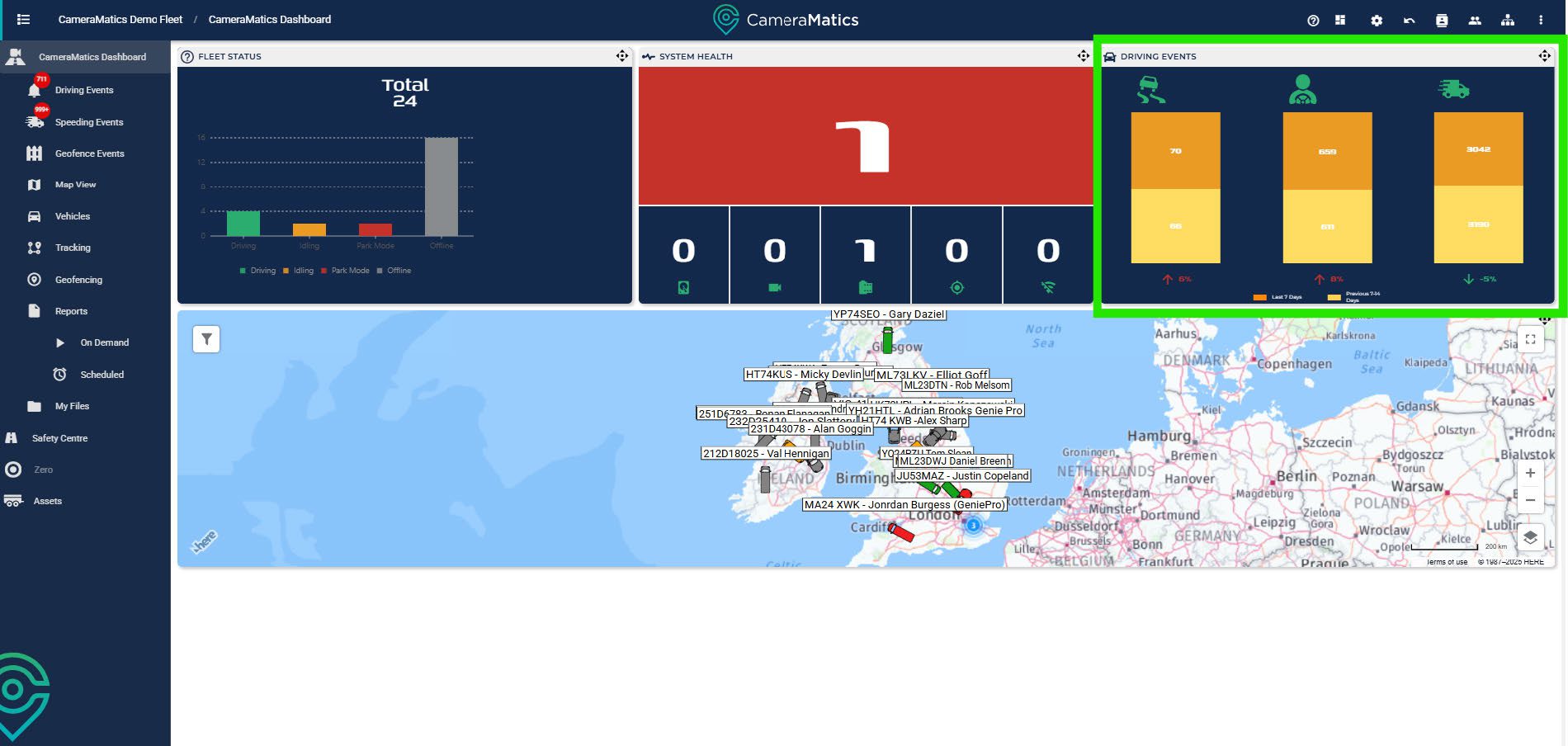
The third widget shows statistics relating to driving events over the past two weeks. For each event we show the total number of events, and the change since the previous two week period. The events are categorised as:
- Vehicle Motion – Events such as harsh braking, steering and anycollisions.
- Driver Monitoring – Driver events such as fatigue, phone usage anddistractions.
- Speeding – All events relating to speeding
Map View
The final widget is a quick view of the map. This shows the current location of every vehicle in the fleet, and enables you to click any vehicle to open up further details and live streaming.