If your company has multiple different depots or departments, separating them into groups will allow you to segregate not only the data but allow your colleagues to monitor specific vehicles within those groups.
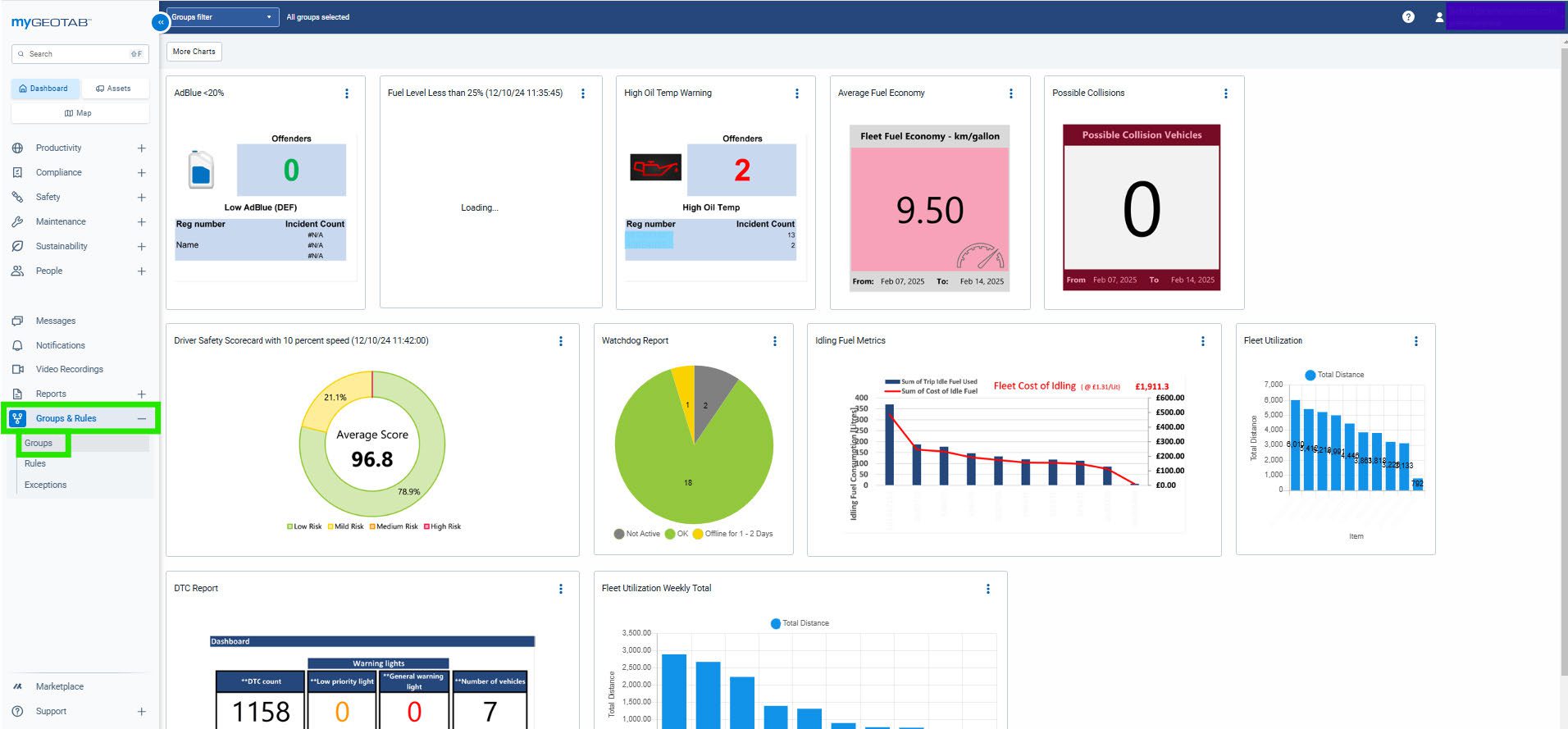
To start creating your groups, you will click on Groups & Rules and select Groups.
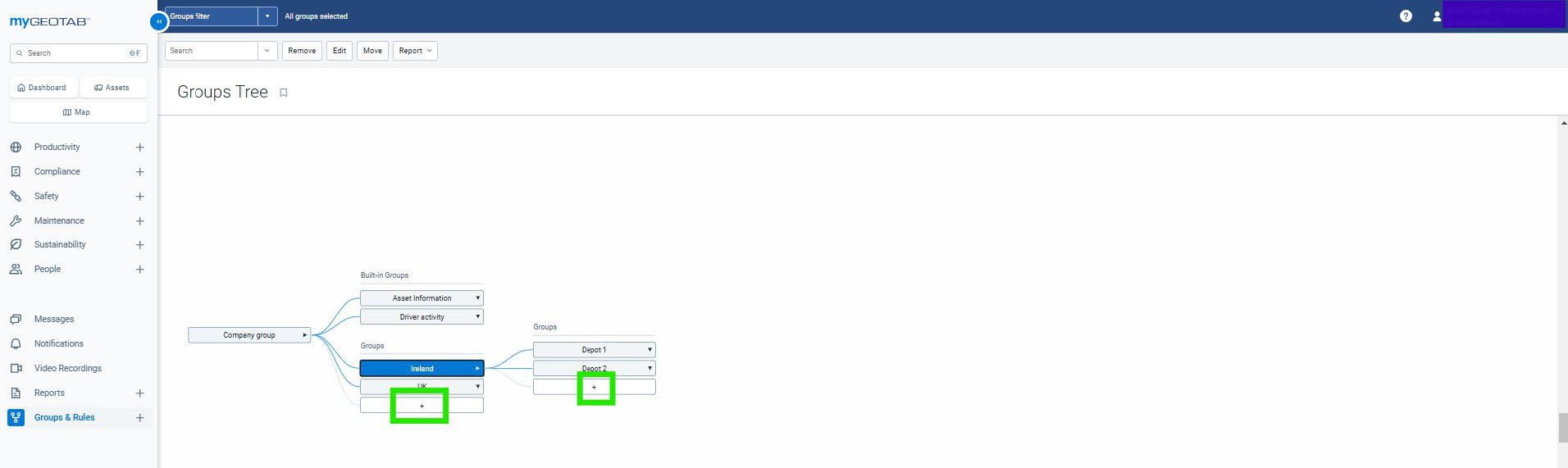
You will then see any groups that have been created already and by seeing from the connected lines, you will know which groups are within each other.
You can create an entirely new group by clicking on the + button. If you are building a group within another you must first select the group that will contain the new group.
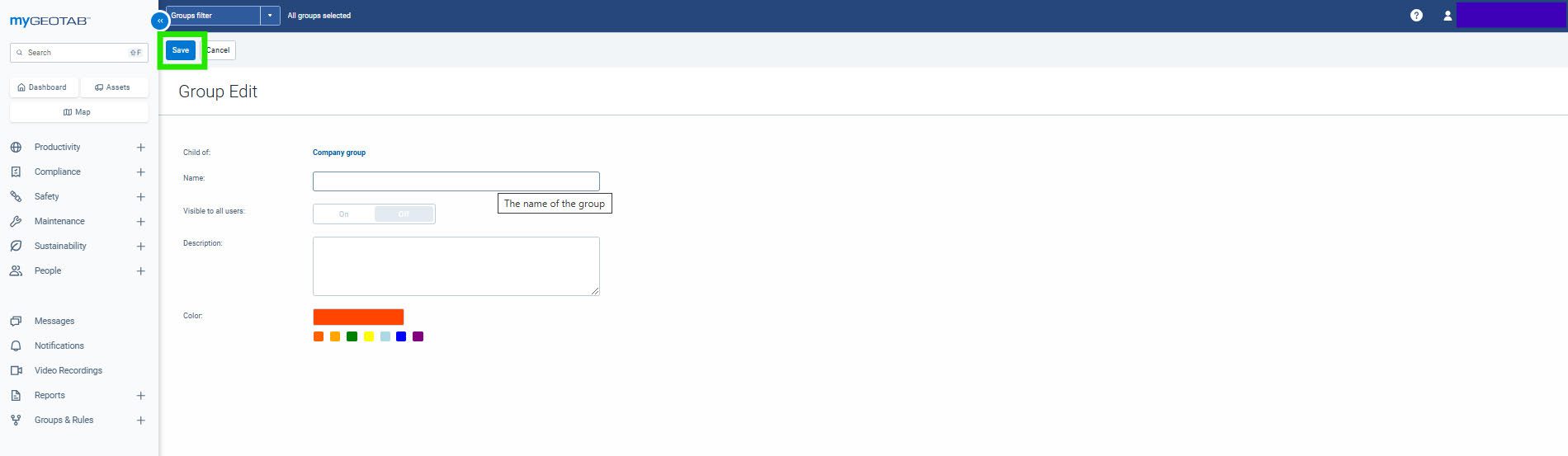
You will need to fill out the information and you can give it a specific colour if you want to but once you have finished you click save at the top.
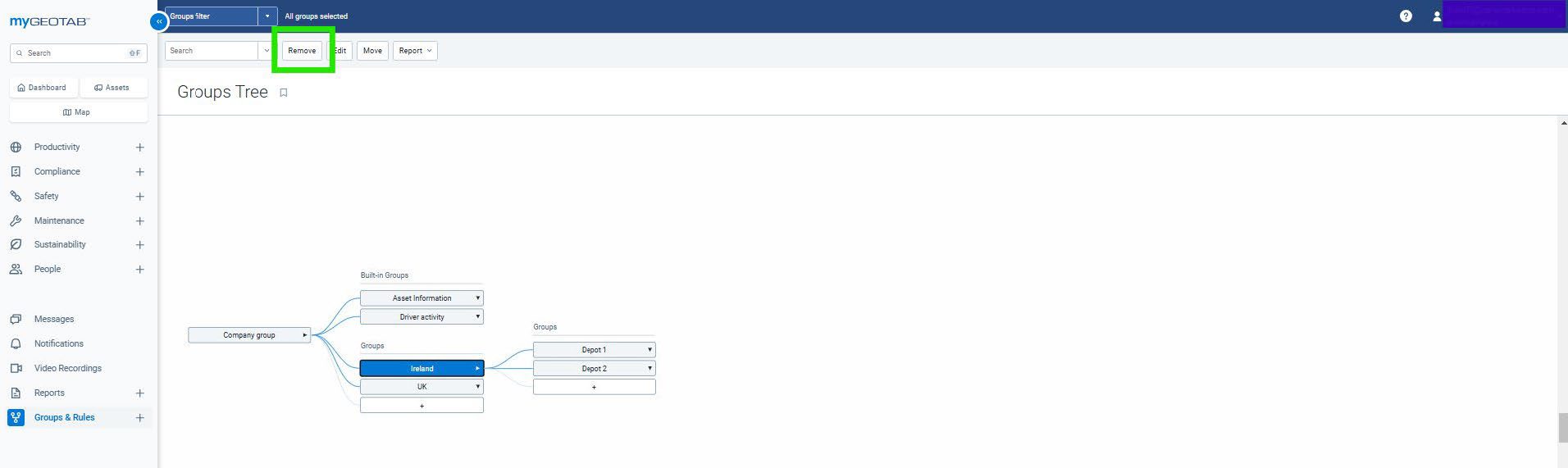
If you need to remove any groups at all you can select the group and then click remove at the top.
Organising your fleet into groups will have many benefits for you. This can be from automating reports for specific groups or even comparing groups to one another to improve as a whole.